
The 5Star search finds service records based on Company Name, First Name and Last Name.
Service names that aren't descriptive are hard for your visitor search for.
For example, let's say you add a floor installation and cleaning service called All Pro. They are the best carpet cleaning service and you want them to appear if a visitor searches for "carpet cleaning."
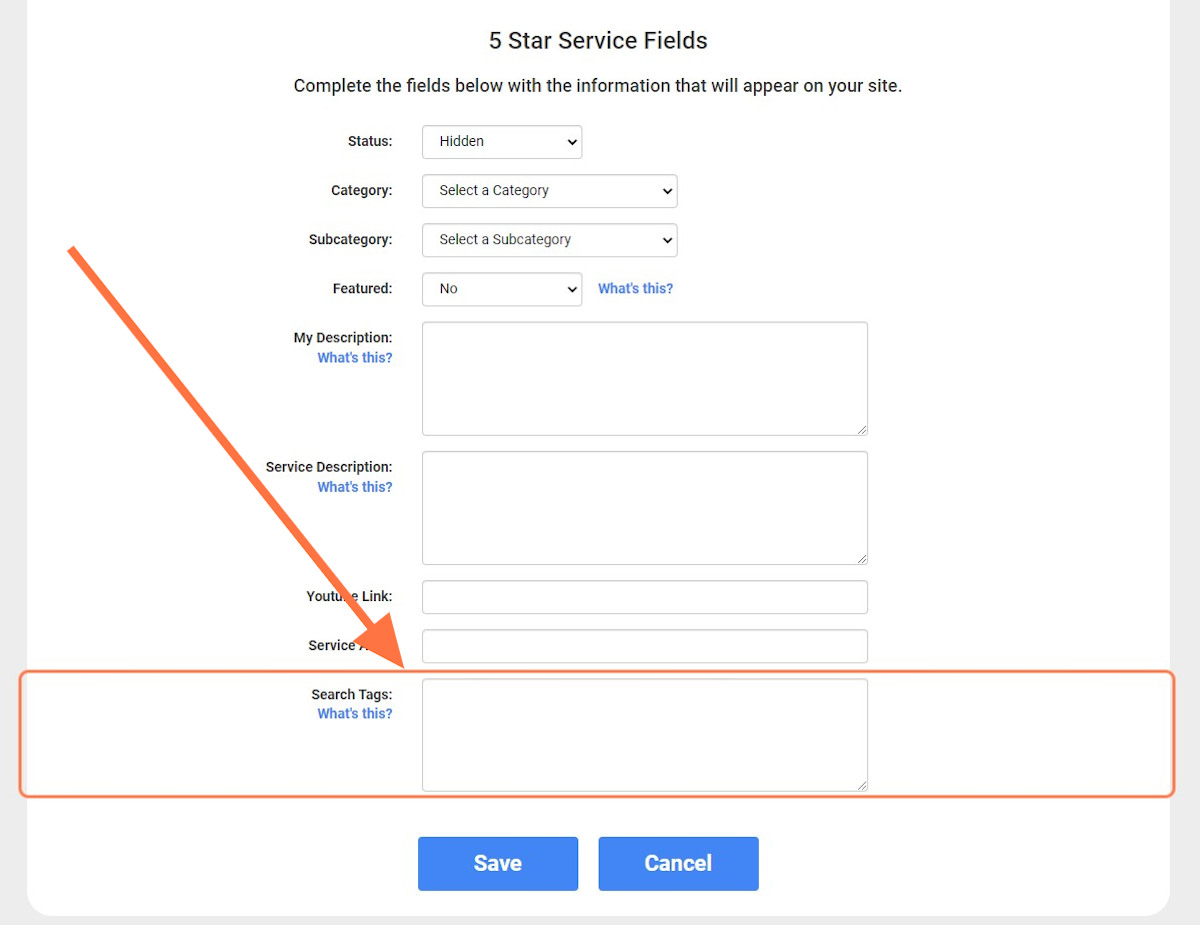
In the 5Star Dashboard, use the Search Tags field to add a search string, or specific keywords that your visitor might search for.
Adding Search Tags
1. In your 5 Star Referral Center, click on Services

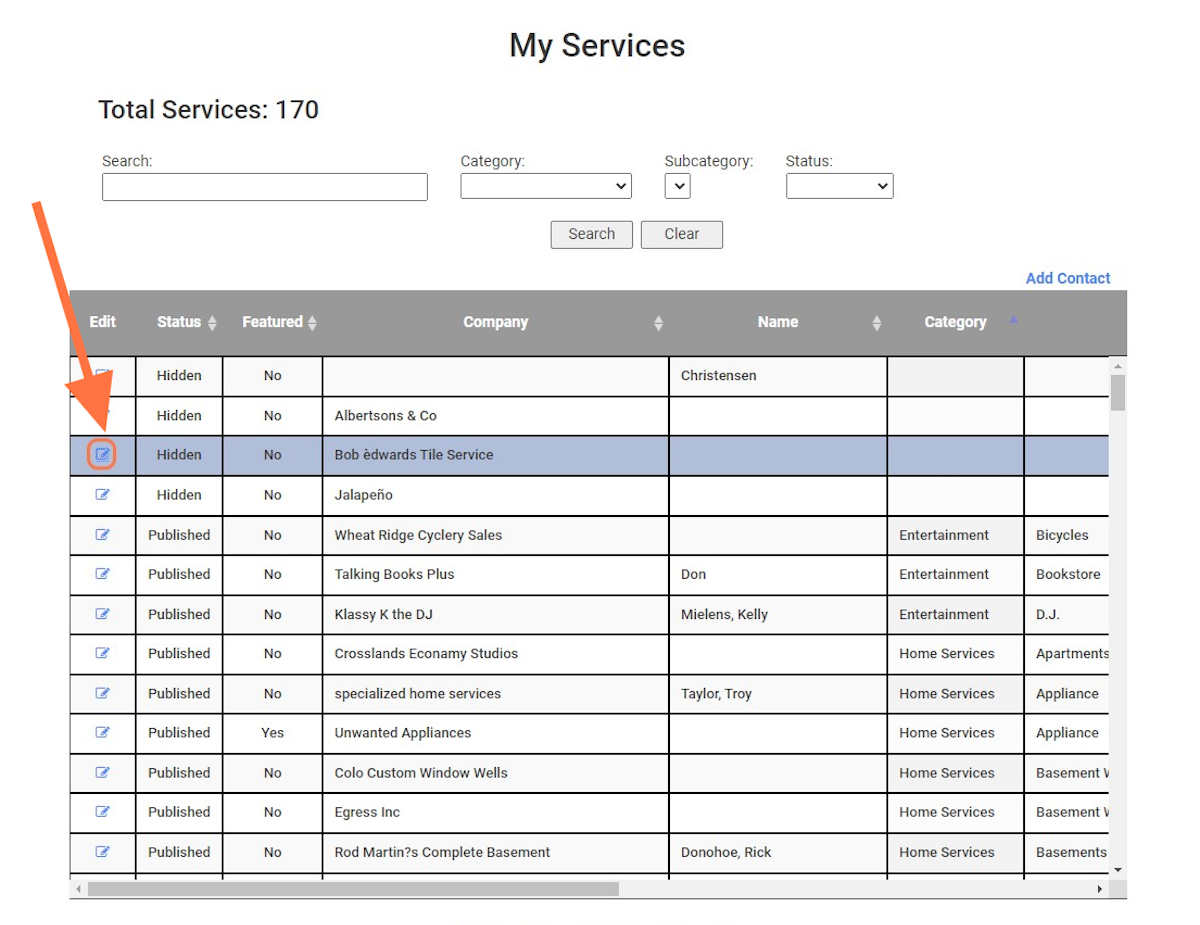
2. Locate the Company & click the pencil icon in the left hand column
3. Scroll down to the bottom of the page to locate the Search Tags box
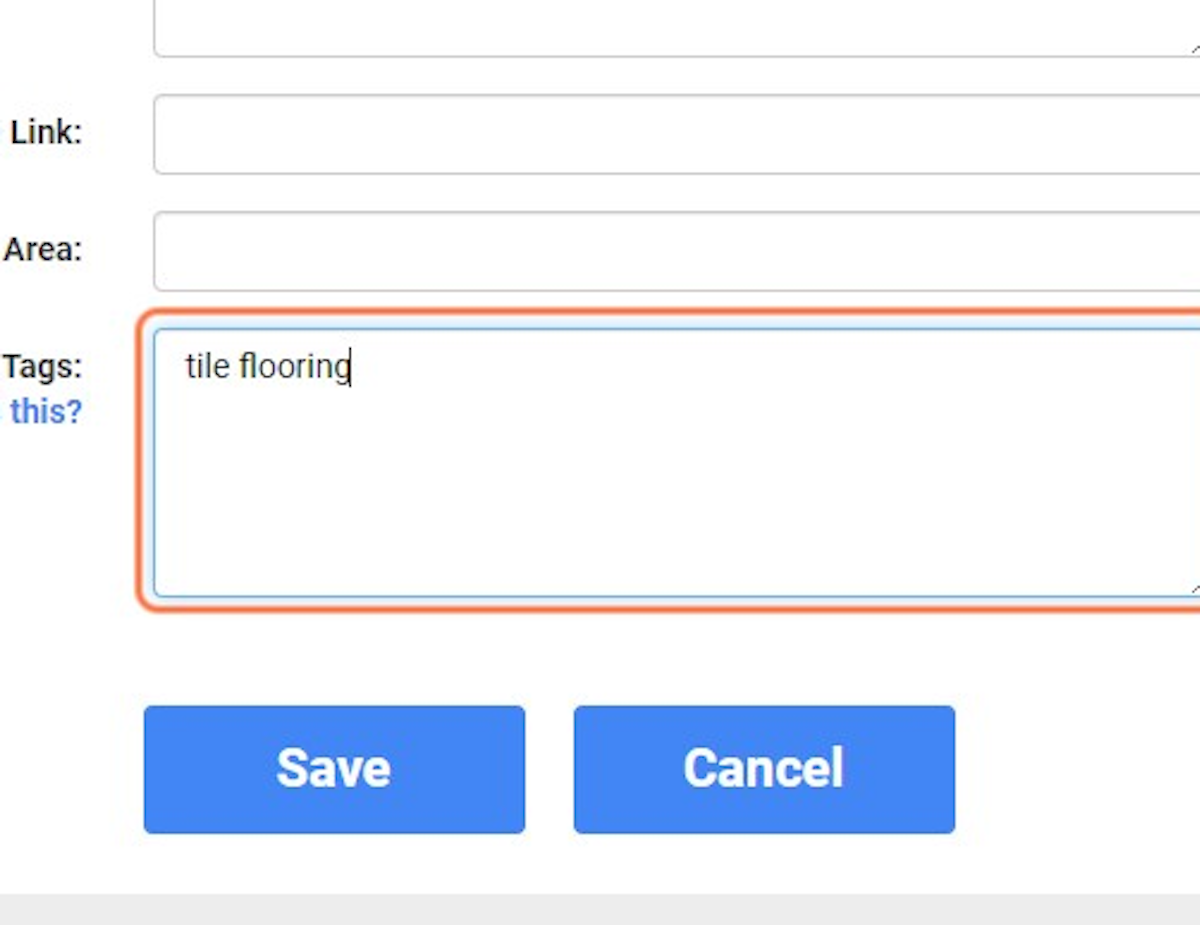
4. Add the specific keywords that your visitor might search for.
Each tag is separated by a space, do not add punctuation.
If you need additional help:
Please contact your Support team:
We are happy to help :)
support@byreferralonly.com
800-950-7325 Ex 3401
Comments
0 comments
Please sign in to leave a comment.